

Chengran (Felix) Guan
2026-07-27 · 11 min read
AI Virtual Staging in 2026:
How It's Changing Real Estate Marketing
Key Takeaways
- AI virtual staging costs $15–$50 per image — compared to $500–$2,500+ for traditional staging per room.
- Turnaround is minutes instead of days. AI staging produces results in under 60 seconds per image.
- MLS disclosure is mandatory in most markets. Label virtually staged photos clearly to stay compliant.
- Best results combine AI staging with human oversight. Use AI for speed, manual polish for the hero shots.
- Buyer savviness is growing. Increasingly, buyers and their agents can spot AI staging — so transparency matters.
AI virtual staging is the fastest way to furnish an empty listing photo online. You upload a photo of a vacant room, pick a style, and get a photorealistic staged image back in under 60 seconds for $15–$50 — versus $500–$2,500+ per room for physical staging. In 2026 it is a mainstream tool, not an experiment: agents use online virtual staging on vacant properties to get listing photos live the same day, photographers sell it as an add-on, and brokerages use it to make every vacant listing look move-in ready. No truck, no movers, no waiting.
This guide covers everything agents and photographers need to know about AI virtual staging in 2026 — how it works, what it costs, the disclosure rules you need to follow, and when AI staging makes sense versus hiring a human stager.
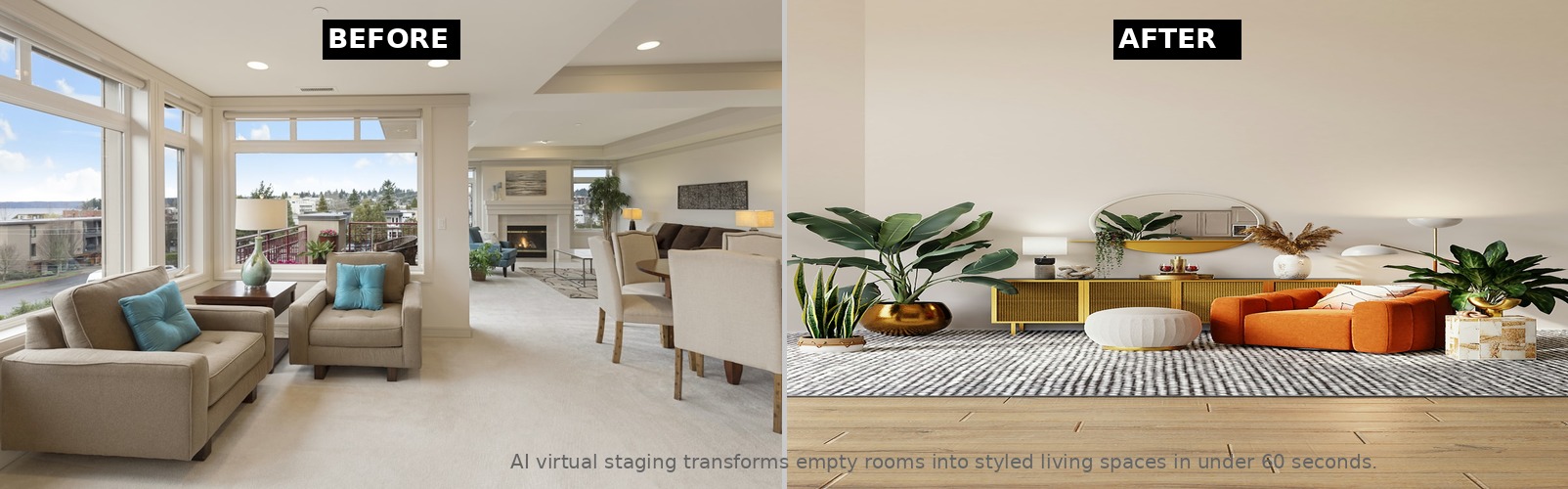
AI virtual staging can transform an empty room into a styled living space in under 60 seconds.
What Is AI Virtual Staging?
AI virtual staging uses generative AI and image inpainting models to add furniture, decor, wall art, rugs, and other interior elements to photos of empty rooms. The AI analyzes the room's dimensions, lighting, and perspective, then generates realistic furnishings that match the space.
Unlike traditional virtual staging (which uses 3D rendering or Photoshop compositing), AI staging is nearly instantaneous. Upload a photo of an empty living room, and within seconds the AI returns a fully furnished version with multiple style options — modern, farmhouse, mid-century, or minimalist.
The underlying technology is similar to the AI models that power AI photo editing for real estate, but specialized for interior scene generation. Leading platforms use diffusion models trained on millions of professionally staged rooms to produce results that — at their best — are nearly indistinguishable from physical staging photographs.
How Does Online Virtual Staging Work? Apps, Photoshop, and Services Compared
"Virtual home staging online" covers three very different ways of getting the same result: a furnished photo of an empty room. Which one fits depends on how many properties you stage and how much control you want.
- AI virtual staging apps (self-serve). You upload the photo in a browser or phone app, choose a style, and download the staged image in 30–60 seconds. Cost runs $15–$50 per image or a flat monthly plan. This is the best virtual staging app route for realtors who stage a few rooms a month and want it done today. For agents who want a staged photo in one click, VideoGuru's virtual staging sits inside the same platform as its photo enhancement and listing video tools, so the staged stills and the walkthrough video come from one upload.
- Online virtual staging services (human-edited). Vendors such as Rise Media, BoxBrownie, and PadStyler have a designer composite furniture into your photo. Expect $25–$150 per image and 1–3 business days. This route makes sense for luxury listings ($2M+) where you want a specific furniture catalog and a revision round.
- Virtual staging with Photoshop (DIY). Photographers with compositing skills can stage a room themselves using stock furniture cutouts and the Generative Fill tool. It costs only your time — realistically 30–90 minutes per room to get shadows and perspective right — which is why most photographers reserve it for hero shots and use AI for the rest. Our DIY virtual staging guide for agents walks through the Photoshop workflow step by step.
All three produce a digital virtual staging image that goes on the MLS with the same disclosure requirement. The practical difference is speed and volume: an agent staging six rooms on a vacant listing gets AI results in about five minutes, a service delivers in two to three days, and Photoshop takes an afternoon. For a closer look at what the AI actually does to the room, see our guide to AI furniture staging for real estate.
How Much Does AI Virtual Staging Cost?
The biggest advantage of AI virtual staging is cost. Here's how the numbers compare in 2026:
| Method | Cost Per Room | Turnaround | Realism |
|---|---|---|---|
| Physical staging | $500–$2,500+ | 1–7 days | Perfect (real) |
| Traditional virtual staging (3D/Photoshop) | $50–$150 | 1–3 days | High |
| AI virtual staging (2026) | $15–$50 | 30–60 seconds | Very high |
For a typical 6-room listing, AI virtual staging costs roughly $90–$300 compared to $3,000–$15,000 for physical staging. Even compared to traditional virtual staging services, AI cuts the cost by 60–80% and reduces turnaround from days to seconds.
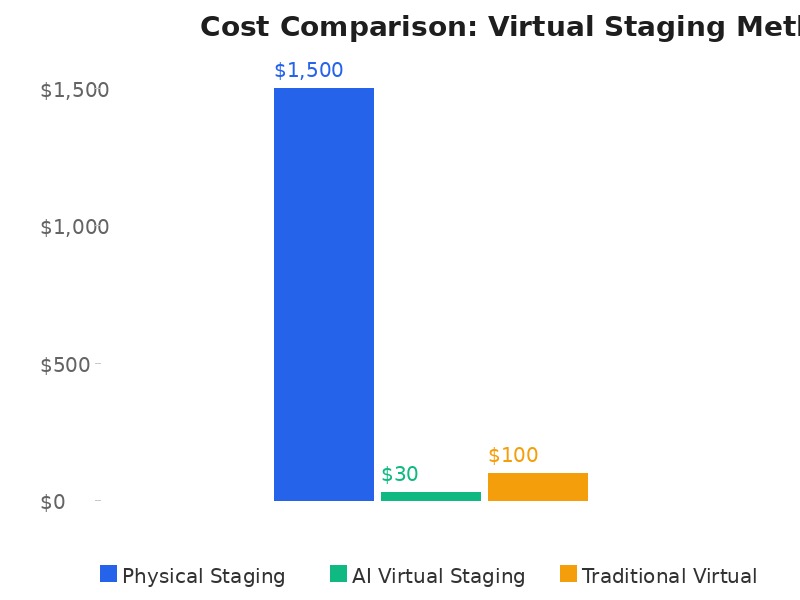
AI virtual staging reduces per-room costs by 90%+ compared to physical staging.
Can You Get Free Virtual Staging Online?
Yes, with limits. Most AI virtual staging platforms offer free virtual staging online as a trial: typically 1–3 free images, or a free tier that watermarks the output. That is enough to test realism on one of your own listing photos before you pay for anything. VideoGuru has a free plan, so you can stage a room and export a listing video with no credit card.
What you usually cannot get for free is a clean, MLS-ready export at full resolution across a whole listing. A "virtual staging free online" tool that removes its watermark on paid plans is the normal model. Budget $15–$50 per image or $20–$100 per month for a subscription if you stage more than a couple of rooms a month. Fully free forever options tend to be older Photoshop-style templates or low-resolution generators, and the artifacts show up on a 1,500-pixel MLS photo.
A sensible approach: use the free images to stage the one room that sells the property — usually the living room or primary bedroom — and judge the output against the checklist in our AI photo disclosure rules for 2026. If the result passes and the disclosure is in place, move to a paid plan for the rest of the gallery.
AI Virtual Staging vs Physical Staging: When Each Makes Sense
Physical staging remains the gold standard for occupied showings — buyers walk through real furniture and feel the space. But for online listing photos, AI virtual staging has closed the gap significantly.
AI virtual staging works best when:
- The property is vacant and you need listing photos fast
- Budget is tight and $500+/room staging isn't viable
- You want to show multiple style options for the same room
- The listing is in a market where virtual tours, not open houses, drive sales
Physical staging still wins when:
- The property is high-end luxury ($2M+) where buyers expect an in-person experience
- In-person showings are the primary sales channel
- The staging furniture needs to feel real for walkthroughs and open houses
A growing number of agents combine both approaches — using AI virtual staging for the online listing gallery and physical staging for key living areas that will be shown in person. For a deeper look at the ROI difference, see our Virtual Staging vs Traditional Staging: ROI Comparison.
MLS Disclosure Rules for AI Virtual Staging in 2026
AI virtual staging is permitted under NAR Code of Ethics Standard of Practice 12-8, which requires that digitally altered or enhanced listing photos be clearly identified. As of 2026, most MLS boards enforce disclosure rules requiring:
- Watermark or caption on each virtually staged photo — typically "Virtually Staged" in a visible corner
- Disclosure in the listing description — a sentence noting that some photos show virtual staging
- Clear differentiation — buyers should be able to tell which photos are staged versus showing the actual property
Some states have proposed additional legislation. California's AB 723 framework sets disclosure standards and potential fines for non-compliance. The National Association of Realtors provides ongoing guidance on AI and staging best practices for agents.
The bottom line: disclosure is mandatory, but the specific format varies by MLS. Check your local board's rules before publishing virtually staged photos. For a comprehensive overview, read our MLS Video Requirements 2026 guide, which covers related disclosure rules.
Understanding how AI virtual staging works and when to use it for your listings.
Virtual Staging Near Me: Do You Need a Local Provider?
Agents search for "virtual staging near me" out of habit from physical staging, where the furniture has to arrive on a truck. Virtual staging has no truck. The photo is edited online, so a provider in another state or country delivers the same file, on the same timeline, at the same price. Distance only matters when someone has to visit the property.
When a local provider does help: your real estate photographer can shoot the empty rooms and deliver them already staged, which removes a hand-off. Many photographers now bundle virtual home staging with the photo shoot for $20–$40 per staged image on top of the shoot fee. Ask your photographer first — see our guide to hiring and managing a real estate photographer for what to ask. If you shoot your own photos, an online AI tool is faster and cheaper than any local vendor, and a brokerage with 10+ vacant listings a year will save more with a subscription than with per-job local quotes.
How AI Virtual Staging Fits Into Your Workflow
For agents working with a photographer, AI virtual staging can be integrated into the existing photo editing pipeline. The photographer delivers raw interior shots, the AI staging tool generates furnished versions, and the agent selects the best results. Many photographers now offer AI virtual staging as an add-on service — see our AI Photo Editing for Agents guide for how this fits into a broader AI-enhanced workflow.
For agents who shoot their own listing photos, AI virtual staging platforms let you upload photos directly and receive staged versions within seconds. The workflow is straightforward:
- Shoot the empty room with good lighting and minimal clutter
- Upload to an AI virtual staging platform
- Select a style (modern, traditional, farmhouse, etc.)
- Review and pick the best output from 3–5 variations
- Add disclosure watermarks and upload to your MLS
AI virtual staging is also increasingly integrated into broader media platforms. VideoGuru, for example, offers AI photo editing tools alongside its video editing suite — one platform for creating listing videos in under 10 minutes, plus AI virtual staging and photo enhancement for still images. The same AI that powers your video walkthroughs also handles your listing photography, keeping your entire media workflow in one place.
Common AI Virtual Staging Mistakes to Avoid
AI staging has come a long way, but it's not flawless. Here are the most common issues agents run into:
- Unrealistic proportions. AI sometimes generates furniture that's too large or too small for the room. Always review the output before publishing.
- Missing disclosure. Many agents forget to label staged photos, risking MLS fines or listing removal.
- Over-staging. Adding too many items makes a room look cluttered and unconvincing. Less is more with AI staging.
- Style mismatch. Staging a mid-century home with ultra-modern furniture creates visual dissonance that buyers notice.
- Not showing the original. Include at least one unstaged photo per room so buyers know the actual space.
The best AI staging results come from pairing automation with human judgment. Use AI for speed and volume, but apply your eye for what looks natural in the space. AI in real estate marketing is evolving rapidly, and the agents who combine technology with good taste will win.
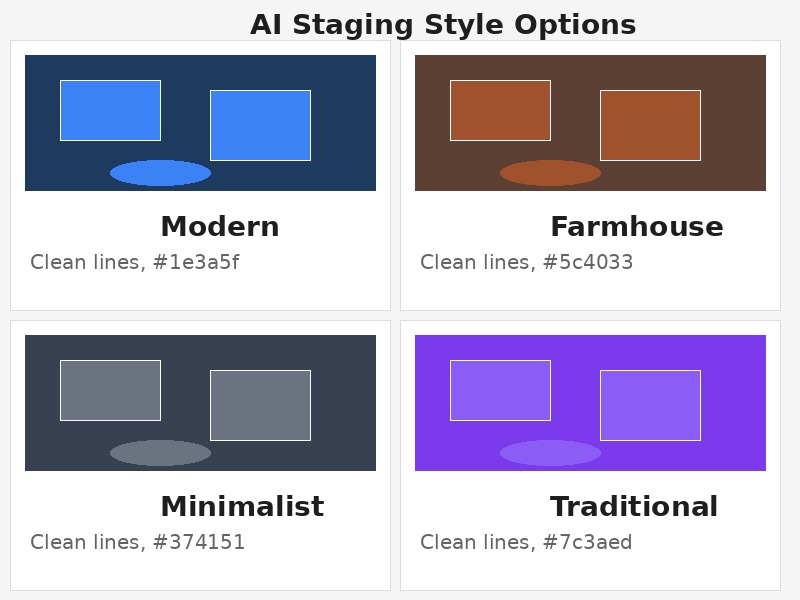
AI staging platforms offer multiple style options per room — choose the one that fits the property's character.
Frequently Asked Questions
Is AI virtual staging legal for MLS listings?
Yes, as long as you disclose it. NAR Standard of Practice 12-8 requires that digitally altered listing photos — including virtual staging — be clearly identified. Most MLS boards require a visible watermark ("Virtually Staged") on each photo plus a disclosure in the listing description. Without proper disclosure, you risk fines and listing removal. Check your local MLS rules, as requirements vary by market.
Can AI virtual staging replace a professional stager?
For online listing photos, AI virtual staging has become a viable alternative. The quality is high enough that most buyers can't distinguish AI staging from professionally staged photos when viewed online. However, physical staging remains essential for properties that will have in-person showings and open houses. Many agents use AI staging for the listing gallery and physical staging for show-ready spaces, getting the best of both approaches.
How much does AI virtual staging cost per image?
In 2026, AI virtual staging platforms charge between $15 and $50 per image. This is a fraction of the $50–$150 per image charged by traditional virtual staging services and a tiny fraction of the $500–$2,500+ per room for physical staging. Some platforms offer subscription plans that bring per-image costs down further for agents who stage regularly.
How realistic is AI virtual staging compared to real photos?
The best AI staging results are highly realistic — major real estate portals and MLS systems accept them as standard listing photos (with proper disclosure). However, quality varies by platform and room type. Simple rectangular rooms with good lighting produce the best results. Rooms with unusual angles, mirrors, or complex lighting may show artifacts. Always review the output critically before publishing.
Do buyers care if a listing uses AI virtual staging?
Buyers are getting better at identifying AI staging, and some react negatively to being misled. Transparency builds trust. When you disclose AI staging clearly, buyers can appreciate the visual potential of the space without feeling deceived. The goal is to show what a room could look like — not to pretend the furniture is actually there. Buyers who visit a property after seeing disclosed staged photos arrive with appropriate expectations.
What are the results of virtual staging compared to regular staging?
For online listing views, the results are close. Staged listings — physical or virtual — get more saves and showing requests than empty ones, and industry surveys report staged homes selling faster and for roughly 1–5% more than unstaged comparables. Where regular staging still pulls ahead is the in-person showing, because virtual furniture is not there when the buyer walks in. The cost gap is the deciding factor for most listings: $90–$300 to virtually stage a six-room home versus $3,000–$15,000 for physical staging, which is why many agents virtually stage the online gallery and only physically stage the living area of a luxury property. Our virtual vs traditional staging ROI comparison breaks down the numbers by price band.
The Verdict
AI virtual staging in 2026 is a legitimate, cost-effective tool that belongs in every agent's marketing toolkit. At $15–$50 per image with instant turnaround, it makes staged listing photos accessible for properties that would otherwise appear empty online. Paired with proper MLS disclosure, it's a powerful way to help buyers visualize a property's potential.
The technology is not perfect — quirky furniture proportions and occasional artifacts mean human review still matters. But for the price and speed, AI virtual staging has earned its place alongside traditional staging and photo editing as a standard real estate marketing tool.
Ready to upgrade your listing photos without hiring a stager? VideoGuru's AI photo editing tools can virtually stage, enhance, and declutter your property photos in minutes — right alongside your video editing workflow. Beyond video, VideoGuru's photo editing tools give you one-click virtual staging for still images, furniture swaps, and decor changes. The same AI that powers your video walkthroughs also handles your listing photography. Start for free at VideoGuru.




