

Chengran (Felix) Guan
2026-08-15 · 12 min read
DIY Virtual Staging:
How AI Helps Agents Stage Listings on a Budget
DIY virtual staging with AI lets agents furnish empty rooms in listing photos for roughly $5 to $50 per image — versus $1,500 to $3,000+ for a physical stager. The results are photorealistic enough that 83% of buyers' agents say staging helps buyers visualize a home as their own, according to NAR's 2025 Profile of Home Staging. For vacant listings on a tight budget, AI virtual staging is the fastest path from empty room to market-ready photo — no truck, no movers, no three-week lead time.
This guide is written for agents who want to know exactly how DIY virtual staging works, what it costs at each tier, which rooms are worth staging, how to stay MLS-compliant, and where the before-and-after results stand up to scrutiny.
Key Takeaways
- AI virtual staging costs $5 to $50 per image — compared to $1,500 to $3,000+ per property for physical staging.
- Turnaround is minutes per room, not days. Most AI staging tools return a furnished image in under a minute.
- Staging works: 83% of buyers' agents say staged homes help buyers picture the property as their future home (NAR, 2025).
- Disclosure rules vary by MLS. Many markets require virtually staged photos to be labeled as such.
- Stage the hero rooms only. Living room, kitchen, and primary bedroom deliver most of the return.
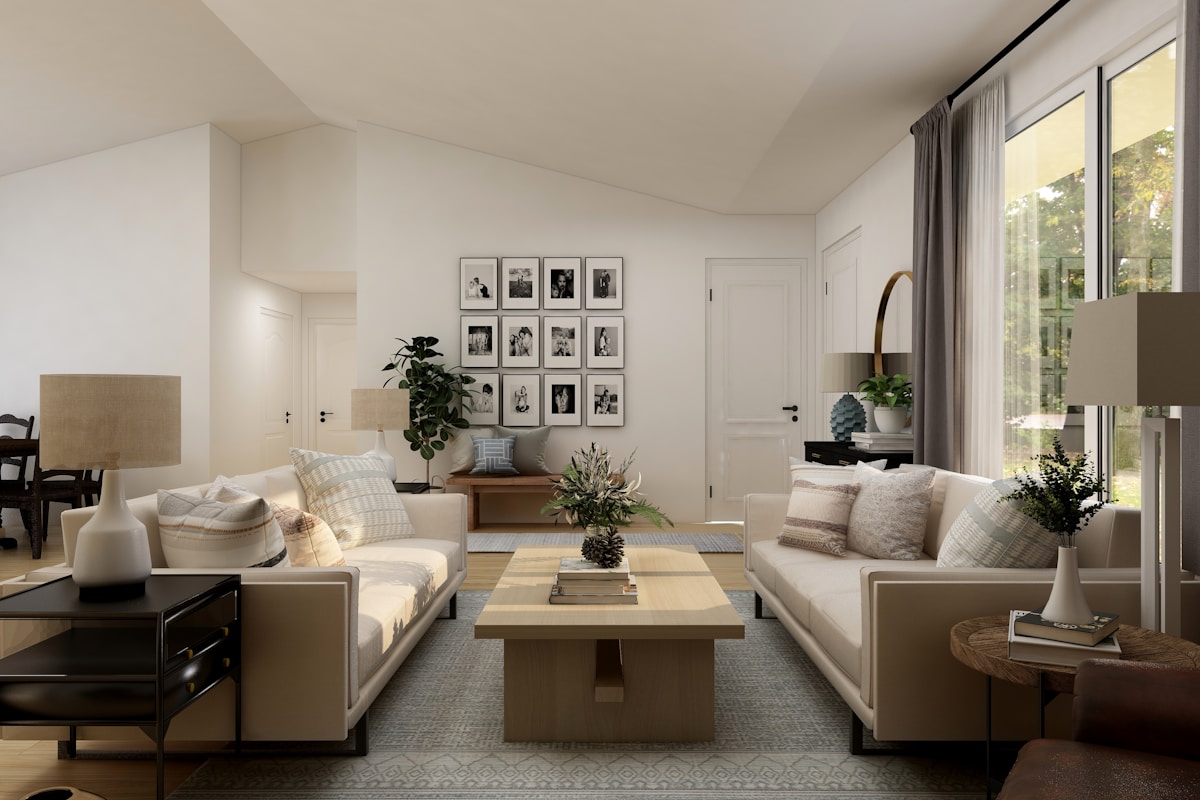
AI virtual staging turns an empty room into a styled living space in minutes.
What Is DIY Virtual Staging?
DIY virtual staging is when you — not a staging company or a human retoucher — use AI tools to add furniture, decor, art, and rugs to photos of empty rooms. You upload a photo of a vacant room, pick a style (modern, farmhouse, mid-century, coastal), and the AI generates a furnished version that matches the room's perspective, lighting, and proportions.
It sits between two older options. Physical staging rents real furniture, which looks perfect but costs $1,500 to $3,000+ per property and takes days to set up. Professional virtual staging services use human designers working in editing software — better quality control, but $50 to $150 per room and a 24- to 72-hour turnaround. AI staging tools cut both the price and the wait, putting the capability directly in an agent's hands.
The same AI models that power AI photo editing for real estate — enhancing exposure, color, and clarity — are the foundation here. Virtual staging is that pipeline specialized for interior scenes: detect the room geometry, generate furnishings, and composite them with realistic lighting and shadows.
How Much Does Virtual Staging Cost?
The pricing gap is the reason DIY AI staging exists. Here is how the three options compare in 2026:
| Method | Typical Cost | Turnaround | Who Does the Work |
|---|---|---|---|
| Physical staging | $1,500–$3,000+ per property | 1–7 days | Stager, movers |
| Pro virtual staging service | $50–$150 per room | 24–72 hours | Human designers |
| DIY AI staging tool | $5–$50 per image | Minutes | You + AI |
A typical 2,000-square-foot vacant home needs staging in 4 to 6 rooms. That is roughly $30 to $300 in AI staging costs at the DIY tier — against a $1,500+ physical staging invoice. Even a mid-size listing budget can absorb that comfortably.
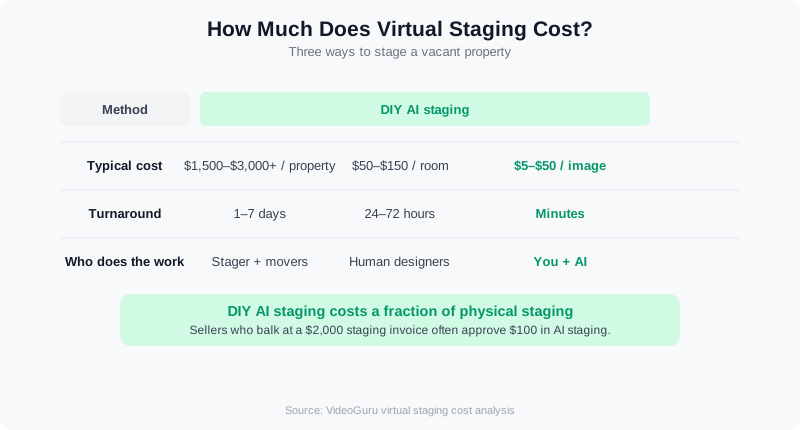
DIY AI staging costs a fraction of physical staging for the same rooms.
What Is the Best Virtual Staging Software for Agents?
Virtual staging software falls into two camps, and the "best" one depends on how much of the work you want to do yourself. Service-style platforms like BoxBrownie, Styldod, and PhotoUp take your photo and hand it to a human designer. BoxBrownie virtual staging runs about $24 per image with a 24–48 hour turnaround; Styldod and similar services price in the $16–$30 range. You get a polished result and a revision round, but you wait a day or two and pay per room. AI virtual home staging software like Collov AI, Virtual Staging AI, and VideoGuru generates the furniture itself in 30–90 seconds. Prices land between $5 and $15 per image, or a flat $15–$50 a month for unlimited or high-volume plans. You trade a little polish for speed and price — and you keep control over style, retries, and timing.
Pick by user type. Solo agents who list 1–3 vacant homes a month and want a staged photo in one click are best served by an AI tool — VideoGuru's virtual staging sits inside the same workspace as its photo editing and listing video tools, so one upload covers the staged stills and the walkthrough. Teams and brokerages staging 20+ rooms a month should look for per-seat or unlimited pricing rather than per-image credits. Photographers and media companies reselling staging to agents usually want a service-style option for luxury listings above $2M, where a designer's eye on scale and finish matters, and an AI tool for everything else. Our AI virtual staging guide for 2026 covers how the AI tools compare on realism.
Whatever you choose, test the same photo in two tools before you commit. A good virtual staging app should let you pick a style (modern, transitional, farmhouse), keep floors, windows, and trim untouched, and export at full MLS resolution — at least 2,000 pixels on the long edge. If a tool crops your photo, softens the edges, or drops a watermark on the export, it will cost you more in redo time than it saves in price. See our roundup of one-click photo editing tools for real estate for what to look for in the surrounding photo workflow.
When Does AI Virtual Staging Make Sense?
AI virtual staging is a fit for specific listing situations. Use it when:
- The home is vacant. Empty rooms photograph cold and make square footage hard to judge. Furnished photos give buyers scale and warmth.
- The budget is tight. Sellers who balk at a $2,000 staging invoice will often approve $100 in AI staging.
- The timeline is short. A listing going live this week can't wait for a stager's schedule. AI staging is same-day.
- You want to test a market. Stage a few rooms to see how the listing performs before committing to full staging.
Skip it when the home is occupied (real furniture already sets the scale), when the seller expects a luxury presentation with physical staging, or when a room has awkward angles that AI consistently garbles — a cased opening, a vaulted ceiling, or an oddly shaped alcove.
Can You Get Free Virtual Staging?
Yes, but read the fine print. "Free virtual staging" usually means one of three things. First, free trial credits: most AI virtual staging apps give you 1–3 free images when you sign up, enough to stage a hero room and see whether the realism holds up on your photos. Second, watermarked previews: some tools stage the room for free but stamp a logo across the export, which is unusable on the MLS. Third, free AI image generators that were never built for real estate — they will happily invent a window or move a doorway, which puts you on the wrong side of disclosure rules.
A realistic "virtual staging free" plan for a budget listing looks like this: use the free credits from one or two tools to stage your two hero rooms (living room and primary bedroom), then pay $5–$15 per image for the remaining 2–4 rooms. Total cost for a whole vacant house: $20–$60. That is the cheapest honest path. What you should not do is stage every room with a free general-purpose image generator and skip the AI photo disclosure rules — the risk of an altered structural element is real, and the savings are a few dollars.
The best free virtual staging app, then, is whichever paid tool gives you enough free images to judge quality before you spend anything — not a permanently free tool. If you are a photographer testing whether staging is worth adding to your menu, run 5–10 client photos through the free tiers of two AI tools, compare them side by side, and quote your clients based on the one that needed the fewest retries. Our AI furniture staging guide shows what a passable free result versus a paid result looks like.
How to Virtually Stage a Listing Yourself
The workflow takes about an hour for a typical listing once you have the photos. Here is the process:
Step 1: Start with clean, well-lit room photos
Garbage in, garbage out. The better the original photo — even exposure, no lens distortion, straight verticals — the more convincing the AI staging. If you shoot your own photos, follow the same fundamentals as shooting listing photos that sell: natural light, wide angles, and a clean frame.
Step 2: Choose the hero rooms
The living room, kitchen, and primary bedroom drive buyer perception. Stage those three first, then add a dining area or secondary bedroom if the tool's results look strong. Staging every room multiplies cost and risk without a matching return.
Step 3: Match the style to the home
A mid-century modern sofa in a 1920s craftsman reads as fake instantly. Choose a furnishing style that fits the architecture and the neighborhood. Most AI tools offer style presets; pick the one that matches the home's bones, not the one that looks the prettiest in the demo.
Step 4: Review every result with a skeptical eye
Look for scale errors (a chair that would not fit through the door), lighting mismatches (furniture lit from a different angle than the room), and perspective slips (a tabletop that bends). Regenerate anything that looks off — one bad image undermines the whole set.
Step 5: Label the staged photos
Check your MLS rules and state law before uploading. Many markets require a clear disclosure that a photo is virtually staged. A simple label on the image ("Virtually staged") or in the listing remarks keeps you compliant and honest with buyers. See the AI photo disclosure rules for 2026 and the MLS content requirements guide for the specifics.
Watch a full AI virtual staging walkthrough from start to finish.
Virtual Staging a Bedroom — and Using It in Your Advertising
Bedrooms are the room agents most often get wrong with AI staging, and the room buyers care about second only to the kitchen. The mistakes are predictable: a king bed dropped into a 10-by-11-foot secondary bedroom, nightstands floating off the wall, or a rug that runs under the door swing. For a virtual staging bedroom that reads as real, size the bed to the room (queen in anything under 12 by 12 feet, king only in the primary), keep two nightstands with matching lamps, add one soft element — a throw or a chair — and stop there. Choose a neutral palette and let the window light do the work. If the AI tool offers a "minimal" or "light" density setting, use it for bedrooms.
Once you have a staged bedroom and living room, those two images do double duty in advertising for real estate agents. A before-and-after pair is one of the highest-engagement formats on Instagram and Facebook: agents who post staging reveals regularly report 2–3x the saves and shares of a standard listing photo post. Use the staged photo as the lead image in a paid Facebook or Instagram listing ad ($5–$20 a day for 5–7 days covers most local markets), and use the empty-versus-staged pair as the organic post that drives comments. Label the staged image in the ad copy exactly as you do on the MLS. For more formats built around the same listing assets, see our real estate video marketing ideas for agents.
What Good AI Staging Looks Like: Before and After
The benchmark for good AI staging is: would a buyer scroll past it? Strong results share four traits — furniture that fits the room's scale, shadows that follow the window light, decor that suits the architecture, and colors that match the actual finishes. Weak results fail on one of those four, and buyers notice even when they cannot articulate why.
Industry data says the payoff is real. In addition to NAR's finding that 83% of buyers' agents see staging help buyers visualize a home, staging is associated with faster sales — Zillow for Agents cites research that staged homes sell about 73% faster than unstaged ones, a figure the Real Estate Staging Association reports via The Mortgage Reports. The full NAR report — Profile of Home Staging — breaks down the visualization and price effects by room type.
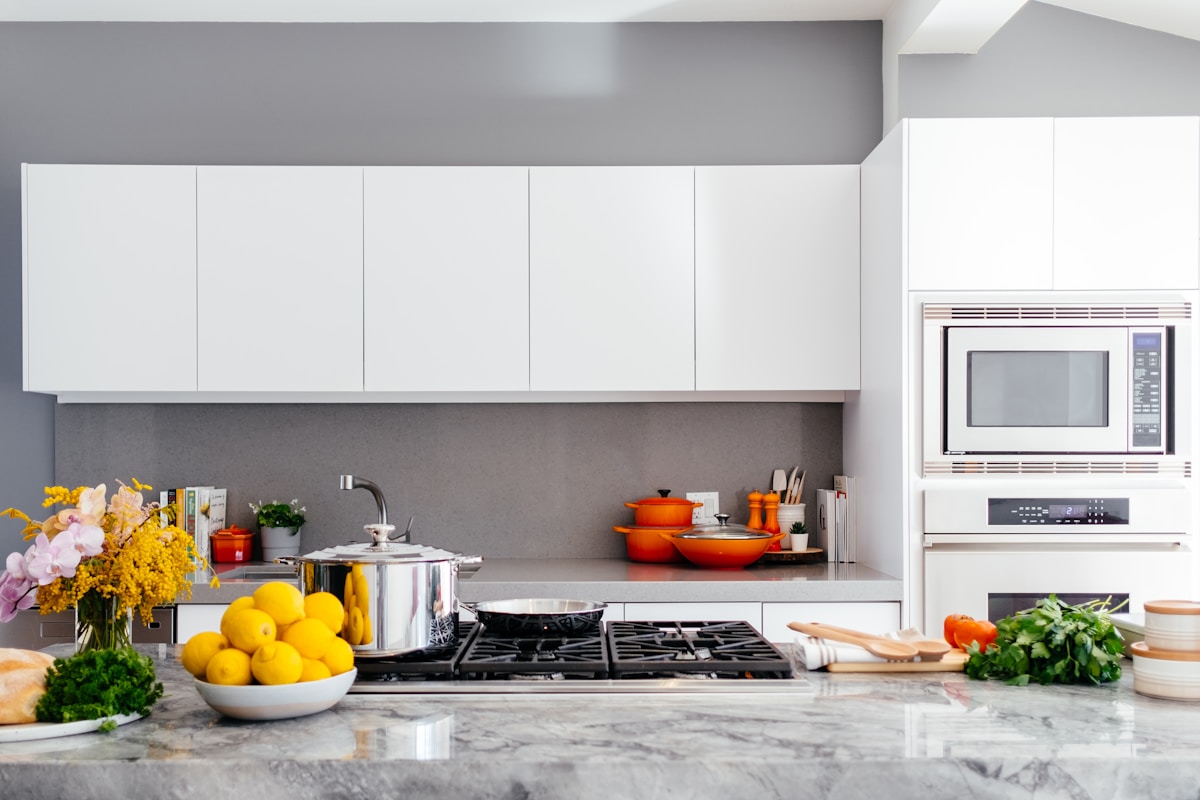
Style matters: match the AI staging to the home's architecture.
Frequently Asked Questions
How much does AI virtual staging cost?
DIY AI staging tools typically charge $5 to $50 per image depending on the tool, resolution, and whether you pay per image or by subscription. Staging a typical vacant home's 4 to 6 key rooms costs roughly $30 to $300 — compared to $1,500 to $3,000+ for physical staging and $50 to $150 per room for a professional virtual staging service.
Is AI virtual staging allowed on the MLS?
It depends on your MLS. Many markets allow virtually staged photos as long as they are clearly labeled, while some restrict or prohibit them. Check your MLS's photo rules and any applicable state disclosure law before uploading, and label staged images ("Virtually staged") when required. The disclosure landscape changed significantly in 2026, so review current rules rather than relying on what your market allowed last year.
Can buyers tell the difference between AI staging and real staging?
Sometimes. High-quality AI staging is convincing in photos, but scale errors, wrong lighting, or furniture styles that clash with the architecture are giveaways. Buyers and their agents are also more attuned to staging than ever. The fix is quality control: review each image, regenerate anything questionable, and only use results that hold up to a second look.
Do staged listings actually sell faster?
The industry data says yes. NAR's Profile of Home Staging found 83% of buyers' agents say staging helps buyers visualize a property as their future home, and research cited by Zillow for Agents associates staging with homes selling roughly 73% faster. Staging is a visualization tool — it helps buyers connect with the space, which supports faster offers.
Is BoxBrownie virtual staging worth it compared to an AI tool?
BoxBrownie is a good fit when you want a human designer and can wait 24–48 hours: it charges about $24 per image and includes a revision, which suits luxury listings and photographers reselling staging. An AI virtual staging tool costs $5–$15 per image and returns a result in under two minutes, so for a standard vacant listing with 4–6 rooms you save $50–$100 and a day of waiting. Many agents use both — AI for speed on everyday listings, a designer service for the one or two homes a year where finish matters most.
What is the best free virtual staging app?
There is no fully free app that produces MLS-ready staging without watermarks. The practical answer is the paid AI tool whose free trial gives you 1–3 clean, full-resolution images — enough to stage your hero rooms at no cost and judge quality before buying credits. Combine free credits from two tools and you can often stage a whole vacant house for $20–$60 instead of the $1,500+ a physical stager charges.
Final Thoughts
Ready to make your vacant listings look move-in ready without the staging bill? VideoGuru's AI photo editing tools give you one-click virtual staging for still images too — plus decluttering, furniture swaps, and decor changes for photos, alongside the full video editing suite. The same AI that powers your video walkthroughs also handles your listing photography. Start for free at VideoGuru and stage your next vacant listing in minutes.
DIY virtual staging will not replace physical staging for every home — but for vacant, budget-conscious, or fast-moving listings, it closes the gap between "empty room photo" and "home buyers can picture themselves living there." Pair it with strong photography, honest disclosure, and a consistent content flow, and it becomes a standard tool in your listing kit. For more on the bigger picture, see virtual staging vs. traditional staging: an ROI comparison and how to market listings with content that works in 2026.




