

Chengran (Felix) Guan
April 17, 2026 · 10 min read
Best AI Video Editors for Real Estate Industry in 2026
The best real estate video editor in 2026 depends on what you feed it. If you shoot your own walkthrough clips or listing photos and want a finished, branded video without touching a timeline, a purpose-built AI real estate video editor like VideoGuru AI wins on speed and accuracy. If you want to generate footage from a text prompt, Google Veo leads. If you want a full manual timeline, Adobe Firefly (with Premiere Pro) is the most capable. If you want free and simple for social clips, CapCut is the pick. The real question for most agents, photographers, and media companies is narrower: which one actually understands real estate?
Whether you're a real estate photographer producing listing videos, a media company serving dozens of agents, or a broker who wants polished video content without hiring a full editing team, choosing the right tool can save you thousands of dollars and hundreds of hours every month.
We evaluated four of the most talked-about AI video tools in the industry: Google Veo, Adobe Firefly, CapCut, and VideoGuru AI. Here's an honest breakdown of each.
What Makes a Real Estate Video Editor Different From a General Editor?
A video editor for real estate has one job: turn 20–60 clips of an empty house into a 60–120 second walkthrough that shows the layout, flatters the light, and carries your branding. A general editor can do that, but it makes you do the work. You pick the order of rooms, set the pace, add the speed ramps, drop in your logo, and export twice — once in 16:9 for MLS and YouTube, once in 9:16 for Reels and TikTok. Done by hand, that is 2–4 hours per listing for someone who knows the software.
A real estate video editor, whether AI-driven or template-driven, bakes those decisions in. The four things to check before you pay for one: it accepts your existing footage and photos (not just text prompts); it understands walkthrough structure (exterior, entry, kitchen, living, primary, outdoor); it stores a brand kit so every video looks like yours; and it exports in the formats your MLS video requirements and social platforms need. Property-specific effects like twilight and virtual staging are a bonus — but only if the tool keeps the property accurate.
Judge every tool below against those four criteria, then against your volume. An agent doing 2 listings a month and a photographer doing 40 need different things from the same category. We wrote up what agents actually ask for in a video editing tool if you want the survey data behind these criteria.
Google Veo
Google Veo is Google's AI video generation model, available through Google AI Studio and the Gemini ecosystem. It excels at generating short video clips from text or image prompts with impressive visual fidelity, and it benefits from Google's massive infrastructure for fast processing.
Strengths: High-quality AI-generated footage, strong motion understanding, access via familiar Google ecosystem.
Limitations for real estate: Veo is a generation tool, not an editing tool. It creates new footage from prompts rather than editing your existing property clips. There's no timeline, no brand kit, no transitions library, and no support for importing your actual walkthrough footage. You'd still need a separate editor to assemble a final listing video. AI-generated property interiors can also introduce hallucinated details — furniture that doesn't exist, rooms with incorrect layouts — which is a serious concern for real estate where accuracy is non-negotiable.
Adobe Firefly
Adobe Firefly brings generative AI capabilities into the Adobe Creative Cloud ecosystem. For video, Firefly's AI features are integrated into Premiere Pro, offering tools like AI-powered scene detection, auto-captioning, and generative extend to fill gaps in footage.
Strengths: Professional-grade output, deep integration with Premiere Pro and After Effects, powerful color grading and audio tools, industry standard for post-production.
Limitations for real estate: Adobe's creative suite is designed for professional video editors, not real estate agents or photographers who need fast turnaround. The learning curve is steep, subscription costs are high ($60+/month for the full suite), and there are no real-estate-specific features like property intro/outro templates, listing-optimized aspect ratios, or one-click effects designed for property tours. For real estate professionals, the per-video time investment is still substantial.
CapCut
CapCut (by ByteDance) is a beginner-friendly video editor that's become hugely popular for social media content. It offers AI features like auto-captions, background removal, and a large template library with trendy effects and transitions.
Strengths: Free tier available, easy to learn, large template library, strong auto-caption feature, built for short-form social media content.
Limitations for real estate: CapCut is a general-purpose consumer editor. Its templates are designed for lifestyle, beauty, and entertainment content — not property marketing. There's no real estate brand kit system, no MLS-optimized export settings, no property-specific viral effects (like twilight conversion or virtual staging), and no integration with real estate workflows like Dropbox or Zillow. For high-volume production, you're starting from a blank timeline every time.
VideoGuru AI
VideoGuru AI is the only tool on this list built exclusively for real estate video. It's a vertical SaaS platform designed for real estate photographers, media companies, and agents who need professional listing videos without the complexity of traditional editing software.
Strengths:
- End-to-end AI editing: Works with both raw video clips and listing photos. Upload your footage, and AI handles scene selection, pacing, speed ramps, and assembly automatically.
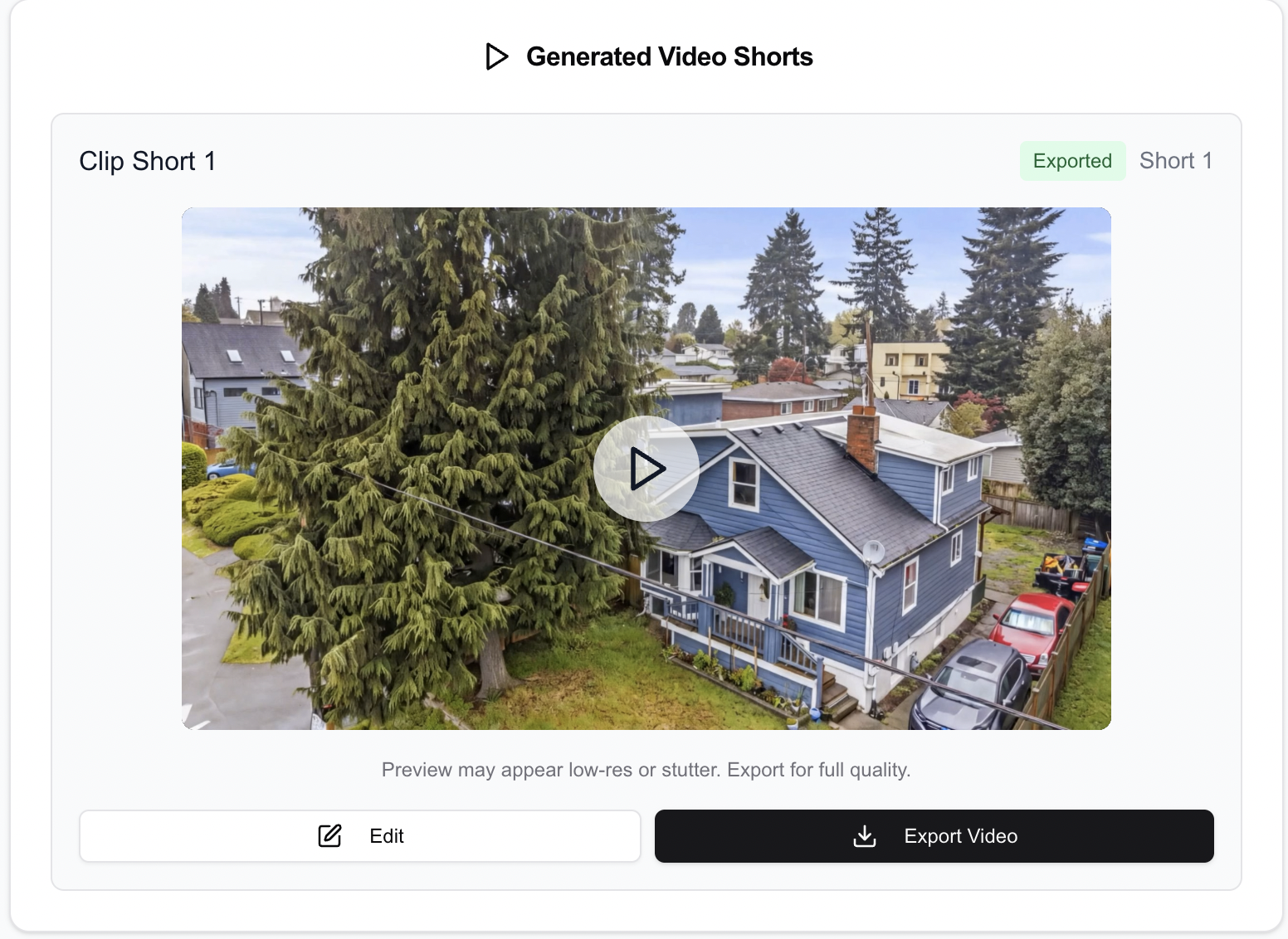
VideoGuru's AI editor — from raw clips to polished video in minutes
- Real estate effect library: Purpose-built transitions, speed ramps, and music curated specifically for property videos — not repurposed from entertainment templates.
- viral effects without hallucination: One-click effects like Twilight, Virtual Staging, and Renovation use advanced guardrails to prevent AI from generating inaccurate property details. What you see is what the property actually looks like, enhanced.

One-click viral effects: Twilight, Virtual Staging, Renovation, and more
- Brand kit system: Save your brokerage or company branding — logos, fonts, colors, intro/outro templates — and apply them consistently across every video.
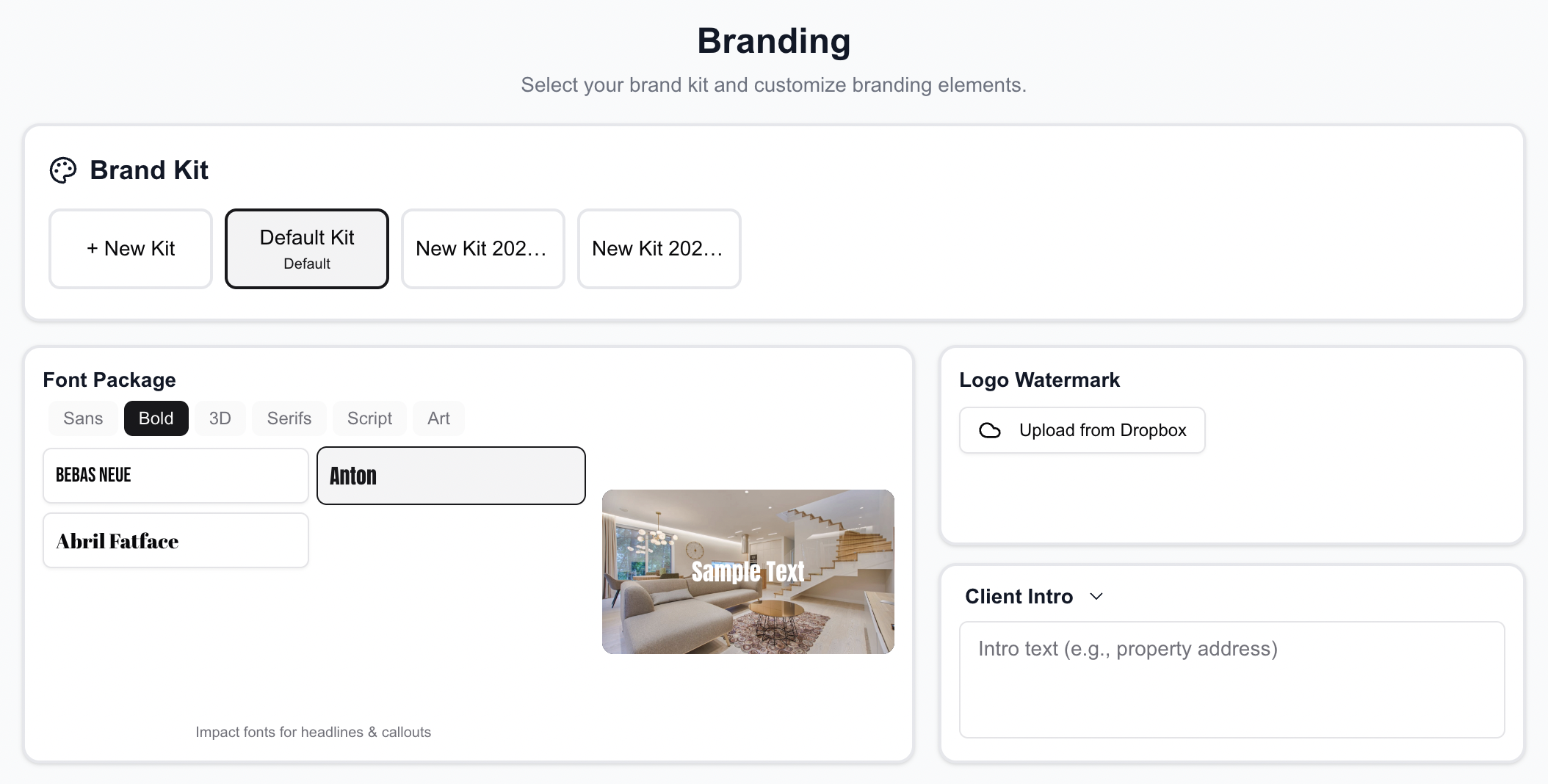
Set up your brand kit once — applied automatically to every video
- Seamless upload integration: Import directly from local storage, Dropbox, Google Drive, or Zillow listings. No manual file management.
- MLS + Social optimized: Export in 9:16 (Reels/TikTok), or 16:9 (YouTube/MLS) with one click.
Real Estate Video Creator vs. Video Editor: Which Do You Need?
The two terms get mixed up, and the difference decides which tool fits. A real estate video creator builds a video from assets you already have — most often the 20–40 listing photos in your MLS upload — using motion, transitions, music, and text to produce a 30–60 second listing video. No camera needed. A real estate video editor assembles footage you shot, trimming clips, fixing color, and pacing the walkthrough. Photo-to-video is the fastest path for agents with no videographer; clip editing is the higher-ceiling path for anyone with a gimbal or a drone.
Most of the tools in this comparison sit on one side. CapCut is an editor with a basic slideshow mode. Adobe Firefly is a generation and editing suite that does not build from listing photos. Google Veo generates new footage but cannot edit yours. An AI real estate video creator worth paying for does both: it takes photos or clips and returns a finished video. VideoGuru AI works that way, which is why it lands in the "Create Video from Photos" row below with an AI-powered yes. Our guide to turning real estate photos into video with AI covers the photo-only workflow step by step, and our real estate video maker guide compares the creator-style tools on their own.
Side-by-Side Comparison
| Feature | VideoGuru AI | Google Veo | Adobe Firefly | CapCut |
|---|---|---|---|---|
| Built for Real Estate | Yes | No | No | No |
| Edit Existing Video Clips | Yes | No | Yes | Yes |
| Create Video from Photos | Yes, AI-powered | Limited | No | Slideshow only |
| AI Auto-Edit (No Manual Work) | Yes, fully automated | N/A | No | Templates only |
| Real Estate Effects Library | Yes (Twilight, Staging, etc.) | No | No | No |
| AI Hallucination Prevention | Yes, optimized | No | Partial | N/A |
| Brand Kit | Full (logo, intro, outro, fonts) | No | Limited | Basic |
| Dropbox / Google Drive / Zillow | Yes | No | No | No |
| Speed Ramps & Transitions | AI-selected, real estate tuned | No | Manual | Generic templates |
| Multi-Format Export | Yes (9:16, 16:9) | Limited | Yes | Yes |
| Learning Curve | Minimal | Moderate | Steep | Easy |
| Pricing | $10-30/video | Pay-per-use | $60+/mo | Free / $10+/mo |
How to Choose the Best AI Video Editor for Real Estate
The best AI video editor for real estate is the one that matches your volume and your footage. Use this as the decision rule.
- Solo agents (1–4 listings a month): You need video on every listing without learning software. Start with an AI real estate video editor that takes phone clips or MLS photos and returns a branded video in 5–15 minutes. At $10–30 per video that is far below the $75–300 a freelance editor charges per edit. If you are on a zero budget and only need social clips, CapCut's free tier works — expect 1–2 hours per video on the timeline.
- Teams and brokerages (5–20 listings a month): Consistency matters more than any single feature. Pick a tool with a shared brand kit so every agent's video carries the same intro, fonts, and outro. AI auto-edit plus a brand kit is what keeps a team from producing 20 different-looking videos.
- Photographers and videographers (20–50+ shoots a month): Turnaround is the product. A real estate AI video editor that handles 50+ clips per shoot and exports both aspect ratios in one pass lets you sell video as an add-on at $150–400 per listing without hiring an editor. See how one photographer scaled from 5 to 50 videos a week on that model.
- Media companies (100+ videos a month): You need Dropbox or Drive import, batch processing, and same-day delivery. Manual editing at 2–4 hours per video does not scale here; AI editing at minutes per video does.
For agents, teams, and photographers who want a finished, accurate listing video from their own footage or photos, VideoGuru AI is built for exactly that: upload, let the AI pick the shots and pacing, apply your brand kit, and export. For creators who want to generate cinematic B-roll from text, Google Veo is the stronger fit. For editors who want full manual control, Adobe's suite is. Our breakdown of how long real estate videos take with AI shows the time difference at each volume.
Frequently Asked Questions
What are the best real estate video editors?
For 2026 the four worth comparing are VideoGuru AI, Google Veo, Adobe Firefly, and CapCut. VideoGuru AI is the only one built exclusively for real estate: it edits your clips or builds video from listing photos, applies a brand kit, and exports 9:16 and 16:9 in minutes for roughly $10–30 per video. Google Veo generates footage from prompts, Adobe Firefly pairs with Premiere Pro for full manual editing at $60+ per month, and CapCut is the free option for social clips. Pick by what you feed the tool — clips, photos, or prompts — and by how many listings you produce each month.
Is there a free video editor for real estate?
CapCut is the most capable free video editor for real estate social clips, and it handles captions and basic transitions well. The trade-off is time: with no real estate templates or brand kit, expect 1–2 hours per listing video on a manual timeline. Free works for an agent doing one or two listings a month; past that, a $10–30-per-video AI real estate video editor usually costs less than the hours you spend.
Can an AI video editor for real estate make a video from photos only?
Yes, if it is a real estate video creator rather than a pure clip editor. Tools like VideoGuru AI take 20–40 listing photos and produce a 30–60 second video with motion, music, transitions, and text overlays in about 10 minutes, no camera required. CapCut can do a basic slideshow, and Adobe Firefly and Google Veo do not build from listing photos. Photo-to-video is the fastest way for an agent with no videographer to get video on every listing.
How much does an AI real estate video editor cost?
Expect $10–30 per finished video for a purpose-built AI real estate video editor, $60+ per month for Adobe's creative suite, pay-per-use pricing for Google Veo generation, and free to $10+ per month for CapCut. Compare that with $75–300 per edit for a freelance editor or $500–2,500 per listing for a full-service video agency. Our real estate video cost breakdown runs the numbers at 2, 10, and 50 listings a month.
The Verdict: General-Purpose vs. Purpose-Built
Google Veo, Adobe Firefly, and CapCut are all impressive tools in their own right. But they were built for broad audiences — filmmakers, social media creators, marketing teams across every industry. That means you're constantly adapting a general tool to fit a specific workflow.
VideoGuru AI takes the opposite approach. Every feature — from the AI analysis engine to the transition library to the brand kit system — was designed from day one for real estate. The result is a tool that understands property videos the way you do: what makes a good opening shot, how to pace a walkthrough, when to slow down for a hero moment, and how to keep the property accurate while adding stunning visual effects.
For real estate photographers and media companies producing listings at scale, the difference between a general editor and a vertical solution isn't just convenience — it's saving thousands of dollars and hundreds of hours every month.
Ready to try the editor built for real estate? Get started with VideoGuru AI today.




