

Chengran (Felix) Guan
April 17, 2026 · 9 min read
How to Make Real Estate Videos That Get Views
You've shot beautiful footage of the property. The lighting is perfect, the rooms are staged, and you've captured every angle. But when you post the video, the views barely trickle in. Sound familiar? The fix is rarely the camera — it's the edit, the pacing, and the format.
How to make real estate videos that get views comes down to three moves: hook the viewer in the first second, pace the edit so it holds attention, and format each cut for where it lives. The payoff is measurable — listings with video get up to 4x more views and as many as 403% more inquiries than photo-only listings, according to widely cited real estate marketing benchmarks. The formula changes depending on whether you're posting to MLS or social media.
Here's a breakdown of what high-performing real estate videos get right — and how you can nail every element using VideoGuru AI.
How to Get Customers in Real Estate With Video
Video earns you customers in two ways: it gets your listings seen by more buyers, and it wins you the next seller by showing them you market homes better than the agent down the street. Treat every listing video as a lead magnet — add your name, a branded intro, and one clear call to action so a viewer who likes what they see knows exactly how to reach you. Then put a short version of that same video in front of your farm area every week, not just when you have a listing.
The mechanics differ by who you are. Solo agents get the most from a weekly market-update Reel plus a walkthrough on every listing, posted 3–4 times a week. Brokers and team leads should build one repeatable video template every agent can follow, so the whole roster ships consistent video without a videographer. Photographers and media companies turn the same skills into a recurring retainer — clients who buy a listing video once usually rebook for every listing after. Our real estate video marketing strategy guide maps the full plan, and the case study on how one luxury agent turned video into 100 leads shows the loop in action.
Social Media Videos: What Stops the Scroll
Instagram Reels and Facebook videos play by completely different rules than MLS. Here, you're competing with every other piece of content in someone's feed. The goal shifts from informing to captivating.
1. Hook Within 1 Second
Social media is ruthless. If your first frame doesn't grab attention, users scroll past. The highest-performing real estate Reels use a dramatic visual hook — a twilight exterior, a jaw-dropping kitchen, or a before/after transformation — right at the start.
With VideoGuru: viral effects like Twilight and Virtual Staging can transform your opening shot into something scroll-stopping — with one click, no prompt engineering required.
One-click Twilight effect — instantly transform a daytime exterior into a scroll-stopping twilight scene
2. Dynamic Pacing with Speed Ramps
The most engaging real estate Reels use speed ramps — accelerating through transitions and slowing down for reveal moments. This creates a cinematic, high-energy feel that keeps viewers watching through the full duration (which the algorithm rewards).
With VideoGuru: Speed ramps are automatically applied by our AI based on scene content. Walk-throughs speed up, hero rooms slow down, and transitions snap with energy. You can also customize curves in the built-in editor.
AI-applied speed ramps — slow-motion for hero moments, fast transitions between rooms
3. Music That Matches the Mood
Sound matters enormously on social media. A luxury listing needs an elegant, cinematic track. A cozy starter home works better with warm, upbeat music. Mismatched audio is one of the fastest ways to make a video feel amateur.
With VideoGuru: Choose from a curated music library designed for real estate videos. Tracks are categorized by mood and property type, and the AI matches music to the pacing of your edit.
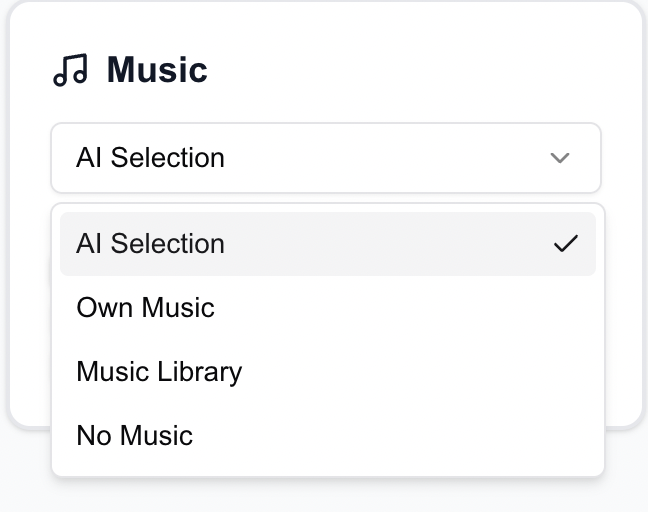
Curated music library — pick the perfect track for any property type and mood
4. Text Overlays and Captions
Many social media users watch with sound off. Adding text overlays — property price, key features, neighborhood highlights — ensures your message gets across regardless. Dynamic 3D text also adds a premium, professional feel.
With VideoGuru: Add 3D object-tracking text with one click. Text follows the camera movement naturally, creating a high-end look that would take hours to achieve in After Effects.
3D object-tracking text — follows camera movement for a premium, professional look
MLS Videos: What Buyers and Agents Actually Want
MLS listings are where serious buyers make decisions. The video here needs to be informative, professional, and accurate. Here are the elements that matter most:
5. Strong Opening Shot (First 3 Seconds)
Buyers decide whether to keep watching within the first few seconds. The best MLS videos open with the property's strongest feature — a dramatic exterior, a stunning kitchen, or a sweeping living room shot. Skip the generic drone approach and lead with impact.
With VideoGuru: Our AI analyzes every clip you upload and automatically identifies the most visually compelling footage to lead with. It scores each scene for visual impact, composition, and lighting quality — then sequences them for maximum engagement.
6. Professional Pacing and Flow
Nothing kills an MLS video faster than awkward timing. Clips that linger too long make the property feel empty. Cuts that are too fast feel disorienting. Professional pacing means holding on hero shots (2-4 seconds), using smooth transitions between rooms, and creating a natural walkthrough flow that mirrors how a buyer would actually tour the home.
With VideoGuru: AI-driven speed ramps and slow-motion are applied intelligently — slowing down for hero moments like kitchen reveals and speeding through hallway transitions. The pacing is tuned specifically for real estate, not generic social content.
7. Branding for Social, Clean for MLS
Here's something many agents learn the hard way: most MLS platforms don't allow branded videos — no logos, no agent names, no brokerage watermarks. It's against their guidelines. But on social media, branding is essential. A polished intro card, a logo watermark, and an outro with contact information builds recognition and trust with both buyers and seller leads.
That means you need two versions of every video: a clean, unbranded version for MLS and a fully branded version for Instagram, Facebook, and YouTube. With traditional editors, that's double the export work.
With VideoGuru: Set up your brand kit once — logo, fonts, colors, intro/outro templates — and it's automatically applied to every video. When it's time to export, you can easily generate both a branded version for social media and a clean, unbranded version for MLS from the same project. No duplicating timelines, no re-editing.
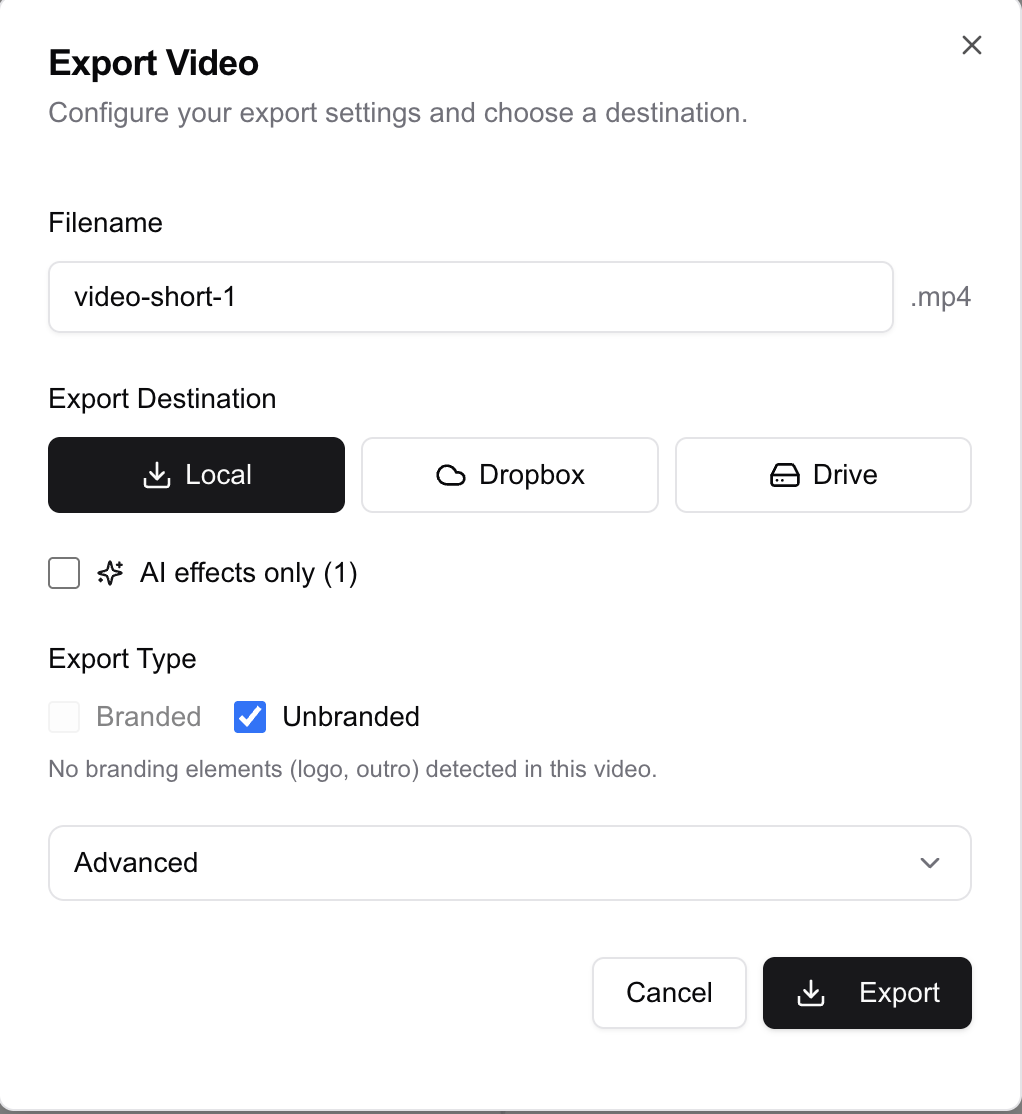
Export branded videos for social media and clean, unbranded versions for MLS — from the same project
8. The Right Aspect Ratio
MLS platforms typically display videos in 16:9 landscape format. Social media platforms like Instagram Reels and TikTok require 9:16 vertical. Uploading the wrong format means black bars, cropped footage, or wasted screen real estate. Always export in the format that matches where the video will live.
With VideoGuru: Export the same project in 16:9 for MLS or 9:16 for Reels/TikTok — with one click. VideoGuru automatically crops your raw footage to fit each aspect ratio perfectly, so you don't lose important parts of the frame or end up with awkward black bars. No manual repositioning, no re-editing.
How to Make Real Estate Reels That Attract Buyers and Sellers
Reels are the highest-leverage real estate format right now: they are cheap to make, the algorithm pushes them to non-followers, and a single good one can out-view a walkthrough ten times over. The format that works is short — 15 to 30 seconds — and it leads with the most cinematic shot you have: a twilight exterior, a reveal of a stunning kitchen, or a before-and-after staging transformation. Put the price and neighborhood in a text overlay, keep the caption under one line, and end with a one-second call to action.
Making reels for real estate is a volume game, which is why brokers and teams get the biggest return from a template: one intro card, one outro card, and one music track, reused on every listing so the feed looks like a brand instead of a scramble. If you are starting from scratch, grab the formats in our real estate video ideas for social media guide and post three Reels a week. Consistency beats production value — the agents and brokers growing on Reels are the ones who show up weekly, not the ones with the fanciest drone.
How to Make a Real Estate Video With an iPhone (and the Best App for It)
A modern iPhone is all the camera most listing videos need — what separates a flat phone video from a professional one is stabilization, lighting order, and the edit. Shoot in 4K at 30 fps, hold the phone level and move slowly through doorways, and film each room in the same direction a buyer would walk it. Start with the exterior, end with the kitchen or primary suite, and shoot 10–15 seconds per room so you have room to trim.
On the app side, the best app to make real estate videos depends on what you need. A general-purpose editor like CapCut or InShot works if you enjoy cutting manually. If you want a finished, branded walkthrough from phone clips or listing photos in about 10 minutes, VideoGuru is built for that job — it sequences your best shots, applies speed ramps, adds captions and a brand kit, and exports both a vertical Reel and a landscape MLS cut from the same project. Compare the full tool set in our real estate video maker guide.
Frequently Asked Questions
What are the best strategies for creating engaging real estate videos?
The strategies that consistently hold a viewer are the same across platforms: hook within the first second, pace the edit with speed ramps, add text overlays for sound-off viewing, and match music to the property. Format matters just as much — a 9:16 vertical cut for Reels and TikTok, a 16:9 cut for MLS and YouTube. Agents who apply these four moves to every video see up to 4x more views than those who upload raw footage.
Do real estate listings with video actually get more views?
Yes — and the gap is large. Listings with video receive up to 4x more views and as many as 403% more inquiries than photo-only listings, according to widely cited real estate marketing benchmarks. Buyers also spend more time on video listings, which signals relevance to MLS and search algorithms. If you list homes and are not adding video, you are leaving buyer attention on the table.
What is the best app to make real estate videos?
The best app depends on your workflow. CapCut and InShot are solid free editors if you enjoy cutting manually, while an AI tool like VideoGuru turns phone clips or listing photos into a finished, branded walkthrough in about 10 minutes. Look for three things: a real estate-specific template library, one-click vertical and horizontal exports, and a brand kit so every video carries your name.
Can I make a real estate video with just my iPhone?
Yes. A recent iPhone shot in 4K at 30 fps with a steady hand or a small gimbal is enough for most listing videos. Shoot 10–15 seconds per room in walkthrough order, keep the phone level, and let an editing app handle pacing, captions, and the vertical cut. You do not need a camera body that costs more than the commission.
How do real estate brokers use video to get more listings?
Brokers win listings by proving they market homes better, and video is the proof. A broker posting 3–4 branded videos a week — one reusable walkthrough template plus a weekly market update — looks more effective than one relying on photos alone. Teams that standardize a single template ship a video on every listing without hiring a videographer, and the best performers win the next listing because the video itself is the pitch.
Final Thoughts
High-performing real estate videos aren't about expensive cameras or complex software. They're about the right elements, assembled with the right pacing, for the right platform. Professional branding, intelligent pacing, scroll-stopping effects, and platform-optimized formatting are what separate listings that sell from listings that sit.
VideoGuru AI was built to deliver all of these elements automatically — at a fraction of the cost of traditional video editing — so you can focus on shooting great footage and let the AI handle the rest.
Ready to create videos that actually get views? Try VideoGuru AI for free.




