

Chengran (Felix) Guan
2026-08-14 · 12 min read
One-Click Photo Editing:
Tools Every Photographer Needs
One-click photo editing tools apply a full correction pipeline — sky replacement, HDR blending, decluttering, color correction, virtual staging — to a whole listing set in a single pass. A 50-photo set that took 2–3 hours of manual retouching now runs in 10–15 minutes, with you reviewing instead of dragging sliders. This guide covers what one-click editing handles in 2026, the top real estate photo editing tools for agents and photographers, how the same AI tools fit wholesalers, investors, and commercial real estate teams, and how to evaluate any tool before it touches a paying client's listing.
This guide is a roundup of what one-click photo editing actually covers in 2026, where each tool category saves the most time, where the results still need a human eye, and how to evaluate any AI editing tool before you hand it a paying client's listing.
Key Takeaways
- One-click means one command, not zero review: The tool applies a full correction pipeline to a whole set; the photographer still quality-checks the output.
- Five task families dominate: sky replacement, HDR blending, decluttering, color correction, and virtual staging are what real estate one-click tools automate best.
- Consistency is the real win: Running every photo through the same AI pipeline keeps a set uniform in exposure and color — the single most important quality signal buyers notice.
- Human QC is not optional: AI artifacts — warped edges, unnatural shadows, over-smooth textures — are the reason the fastest photographers still do a five-minute review pass per set.
- Video is the next step: The same shoot that feeds one-click photo editing feeds AI photo-to-video workflows, so one listing produces both deliverables.
What Is One-Click Photo Editing?
One-click photo editing is an AI workflow that applies a complete correction and enhancement pipeline to an image — or an entire set — from a single command. Instead of opening a photo and manually adjusting exposure, white balance, perspective, and color one slider at a time, the photographer triggers a preset or an AI batch pass and the tool handles the whole chain.
For real estate, the label covers two distinct things. First, AI presets: saved pipelines that standardize white balance, tone, and sharpening across a shoot, so every photo matches. Second, generative AI corrections: tools that rebuild specific elements — replacing an overcast sky with a clear one, removing a clutter item from a counter, or inserting furniture into an empty room for virtual staging.
The term "one-click" describes the operator's experience, not the underlying work. The model still makes decisions about light, geometry, and texture — it just makes them fast enough that the photographer's job becomes approval rather than execution. That distinction matters, because it sets the right expectation: these tools compress the edit session, they do not eliminate the photographer.
What One-Click Tools Automate: The Five Core Tasks
Across the real estate photo editing tools available in 2026, five task families cover the overwhelming majority of the work. If a tool does these five well, it can carry a full listing set:
- Sky replacement: Swapping a flat gray sky for a natural blue one, including correct horizon alignment and realistic edge blending. This is the classic one-click task and the one AI does most convincingly.
- HDR blending: Merging bracketed exposures so windows show the view outside instead of blowing out — the cornerstone of interior shots. AI now handles the ghosting and alignment that used to require manual layer work.
- Decluttering and object removal: Removing power lines, trash bins, toys, and other distractions while reconstructing the background convincingly.
- Color correction and grading: Balancing white balance across mixed lighting, matching tones across the set, and applying a consistent look — the difference between a gallery that reads professional and one that reads amateur.
- Virtual staging: Adding furniture and decor to empty rooms so buyers can picture the space furnished. It overlaps with AI virtual staging in 2026 and has its own quality bar, covered in our guide on whether AI furniture staging looks real.

The same photo, before and after a one-click AI edit pass.
How One-Click Editing Changes a Photographer's Workflow
The practical effect of one-click tools is a dramatic compression of edit time. A photographer who used to spend 90 minutes on a 40-photo set can now run the AI pass in minutes and spend that hour on the shoots that generate revenue instead. That shift is the same one documented in our case study of a photographer who cut editing time by 80% — the bottleneck moves from the computer to the camera.
The workflow itself changes shape. The typical AI-assisted session now looks like this: ingest the shoot, apply the one-click pipeline to the whole set, spot-check every photo for artifacts, fix the handful that need manual attention, and export. The batch logic here is the same as the AI photo editing workflow for real estate photographers — the batch logic and the one-click execution layer fit together — one-click tools are the execution layer, and the batch workflow is the management layer around them.
For photographers weighing whether to build this into their business, the economics are straightforward: the time saved on editing can be reinvested in more shoots, higher volume, or new services like photo-to-video. Our pricing guide for photo editing services breaks down what those hours are actually worth to clients.
Where One-Click Tools Still Fall Short
One-click editing gets a listing to 90% in minutes, but the last 10% is where trust lives — and that is still human territory. The failure modes are consistent across tools: warped furniture edges after object removal, shadows that don't match the light source, textures that come out unnaturally smooth, and virtual staging that looks "off" to an agent's trained eye.
There is also the disclosure question. Some MLSs now require disclosure when photos have been digitally altered, and virtual staging rules vary by market. The National Association of Realtors' buyer research consistently ranks listing photos among the most valuable features in home evaluation — you can review the underlying data at NAR Research and Statistics. Our guide to AI photo disclosure rules in 2026 walks through which markets require what, so the one-click workflow doesn't run afoul of listing rules.
The practical mitigation is a review pass with a checklist: scroll the finished set once, confirm color consistency across photos, look specifically for AI artifacts, and fix the flagged images individually. That pass takes five minutes and protects the photographer's name — the same discipline our AI vs human photo editing comparison found separates good AI-assisted studios from sloppy ones.
Best AI Tools for Real Estate Wholesalers, Investors, and Commercial Teams
One-click photo editing is one piece of a wider AI toolkit, and the right mix depends on what you do with property. Photographers and agents need edited photos and video for listings. Wholesalers, investors, and commercial real estate teams need those same visuals, plus tools for sourcing, underwriting, and outreach. Here is how the categories break down by persona, and where one-click editing fits in each stack.
AI tools for real estate wholesalers
The best AI tools for real estate wholesalers do three jobs: find motivated sellers, talk to them at scale, and make the deal look good to cash buyers. Lead-finding platforms such as PropStream and DealMachine score off-market lists; AI dialers and SMS assistants handle first contact; and a one-click editor turns 10–20 rough phone photos of a distressed house into a clean, consistent set in about 5 minutes. That matters because buyer lists respond to bright, level, decluttered photos even on a fixer — wholesalers who send edited photos with the deal sheet report faster assignments. Budget: $100–$300 a month across the stack for a solo wholesaler.
AI tools for real estate investors and investing
AI tools for real estate investors lean toward analysis: rent estimators and comps (Zillow's models, Rentometer, Mashvisor), deal calculators, and AI document review for leases and inspection reports. On the marketing side, investors who buy-and-hold need rental listing photos every turnover, and flippers need pre-renovation and after photos for the resale listing. One-click editing plus AI virtual staging handles both — staging an empty flip virtually costs $15–$40 per photo with a service, or a flat monthly fee with a platform. For a full picture of what AI editing does to a listing, see our guide on how AI real estate photo editing improves listing photos.
AI tools for commercial real estate
The best AI tools for commercial real estate are heavier on data: lease abstraction, tenant screening, market analytics (CoStar, Reonomy, and newer AI-native platforms), and site-selection models. Commercial real estate photo editing has its own demands too — wide exterior shots of office, retail, and industrial buildings need blue sky replacement, lens correction on tall facades, and parking-lot cleanup, often across 100+ images for a single asset. One-click tools handle that volume well because commercial sets are repetitive by nature. For brokers who want the edited set and a listing video from the same upload, VideoGuru runs both in one pass; for photographers serving commercial clients, it means one workflow for residential and commercial work instead of two.
How to Evaluate a One-Click Photo Editing Tool
Not all one-click tools are equal, and the differences show up exactly where you can't afford surprises: on a paying client's listing. Industry coverage of AI photo editing has tracked the same theme — HousingWire's reporting on proptech tools emphasizes real-world workflow fit over demo polish (HousingWire). Use this checklist when evaluating any AI photo editing tool:
- Test on your worst shoot, not your best: Mixed lighting, reflections, and odd angles expose model weaknesses that clean hero shots never will.
- Check set consistency, not single-photo wow: The tool's job is a uniform gallery. Evaluate the whole set side by side.
- Verify edge cases: Ask what happens with windows in frame, mirrors, pets, and cluttered rooms — the scenarios a real listing always includes.
- Look at turnaround on 50 photos: The demo shows one image. Your work is a set. Time the batch pass.
- Confirm export control: You need full-resolution delivery files plus compressed versions for social — locked exports limit your workflow.
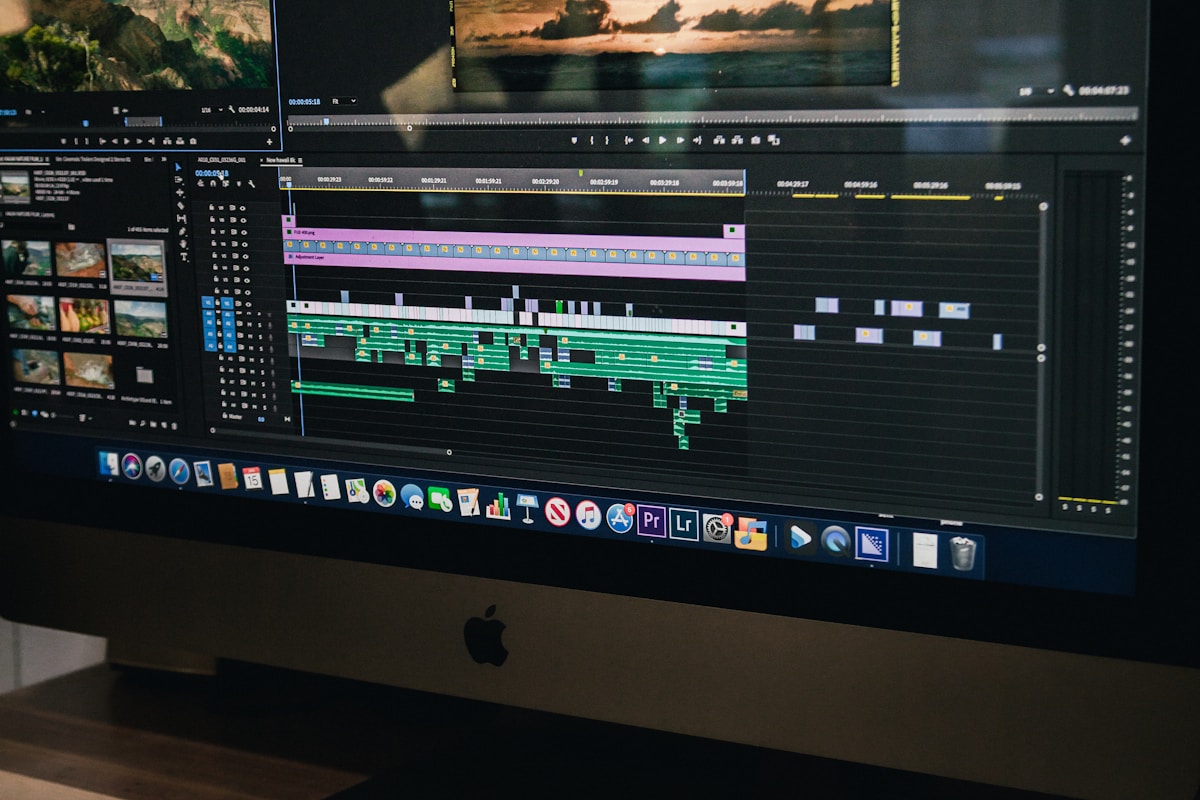
The review pass: AI edits the set, the photographer approves it.
Top Real Estate Photo Editing Tools for Agents in 2026 (and Where Presets Fit)
Agents who shoot their own listings or receive raw files from a photographer have three realistic options in 2026. AI editing platforms (VideoGuru, and photo-only tools such as Autoenhance and Imagen) take a whole set and return it corrected, with blue sky photo editing, HDR, and decluttering applied automatically — typically $0.10–$1.50 per photo or a flat monthly plan. Outsourced editing services (BoxBrownie, PhotoUp, and similar) charge $1–$4 per photo with 12–48 hour turnaround and a human editor. Manual editing in Lightroom or Photoshop with presets is the cheapest in cash and the most expensive in time, at 3–5 minutes per photo even with a good preset.
Real estate photo editing presets for sale are everywhere — Etsy, Creative Market, and individual photographer shops sell Lightroom preset packs for $20–$80. If you are asking where to buy real estate photo editing presets, those three are the main marketplaces, and a preset is a fair starting point for a consistent look. The limit is that a preset applies the same settings to every photo; it cannot replace a grey sky, remove a garbage bin, or blend bracketed exposures. That is the gap one-click AI tools fill. Our comparison of HDR versus AI photo enhancement shows where each approach wins.
For agents who want a finished set in one click and a listing video from the same photos, VideoGuru is built for that job. For agents who edit occasionally and want to learn the craft, a preset pack plus our AI photo editing guide for agents is the lower-cost path. Either way, price the tool against your time: at 30 photos per listing, a 3-minute-per-photo manual edit is 90 minutes you are not prospecting.
The Video Bridge: From One-Click Photos to Listing Videos
The natural extension of one-click photo editing is turning the finished set into video content. Agents want both deliverables from a single shoot, and the same AI pipeline that corrected the photos can feed a photo-to-video AI workflow that produces a listing video in minutes. Platforms like VideoGuru bundle both: AI photo enhancement and virtual staging on the image side, and automated video editing on the media side, so a photographer's one-click workflow extends to the deliverable agents ask for next.
For photographers, that bundling matters commercially. Video commands higher pricing than photos, and offering it from the same shoot — without a second editing pipeline — is the fastest way to raise per-client revenue. Our breakdown of how a photographer doubled revenue with photo plus video packages shows the exact package math.
Frequently Asked Questions
Can one-click photo editing replace a professional editor?
Not entirely. One-click AI tools replace the repetitive execution — exposure correction, sky replacement, HDR blending, decluttering — that consumed most manual editing time. What they do not replace is the review, judgment, and artifact cleanup that produce a trustworthy gallery. The fastest studios in 2026 use AI for the 80% and human review for the 20% that protects their name.
How much time does one-click photo editing save on a listing set?
Photographers who adopt AI batch editing report cutting editing time by 70-80% on typical listing sets — a 40-photo shoot that took 90 minutes of hands-on editing drops to a 15-minute AI pass plus a five-minute review. The exact savings depend on the shoot: clean daytime exteriors fly through, while mixed lighting and heavy clutter need more review time.
Do I need to disclose one-click AI edits to the MLS?
It depends on your market. A growing number of MLSs require disclosure when listing photos have been digitally altered, and virtual staging in particular is regulated in many areas. Check your local MLS rules before delivering AI-edited or AI-staged photos, and review our disclosure guide for the current landscape.
Is virtual staging the same as one-click photo editing?
Virtual staging is one task within the broader one-click photo editing category. Editing tools handle exposure, color, sky, and decluttering; virtual staging specifically adds furniture and decor to empty rooms. They are often sold together — a single one-click pipeline can correct the photo and stage the room in the same pass — but they are distinct skills with separate quality standards.
Is commercial real estate photo editing different from residential?
The tools are the same; the priorities differ. Commercial sets are larger (often 50–150 photos per asset), exteriors dominate, and buyers care about accurate scale, signage, and parking, so lens correction and blue sky replacement matter more than virtual staging. One-click batch editing suits commercial work well because the shots are repetitive, and the review pass focuses on keeping the building's proportions honest.
Should I use a local real estate photo editor in New York or New Zealand, or an AI tool?
Local real estate photo editing still makes sense when you need a same-day human eye on a luxury listing above $2M, or a market-specific look — New York brokers favor bright, neutral interiors, while New Zealand photographers often lean on warmer exteriors and sky work. For everyday listings, an AI tool returns a full set in minutes at a fraction of the $1–$4 per photo a local editor charges, and you can still send the 5–10 hero images to a local editor for polish. See our AI versus human photo editing comparison for where each wins.
Ready to speed up your editing workflow and turn finished photos into listing videos in the same session? VideoGuru's AI photo editing and video tools handle both from one shoot — start for free at VideoGuru.
The Verdict
One-click photo editing is the most consequential workflow change in real estate photography since the shift from film to digital. It does not remove the photographer — it removes the hours of repetitive slider work that never added value, and it forces the profession toward what actually matters: shooting well, reviewing honestly, and delivering more to each client.
The studios winning in 2026 are the ones that treat AI as the execution layer and their own judgment as the quality layer — and that extend the same one-click discipline from photos to video. That is the full-service position agents increasingly expect.
Ready to speed up your editing workflow and turn finished photos into listing videos in the same session? VideoGuru's AI photo editing and video tools handle both from one shoot — start for free at VideoGuru.




